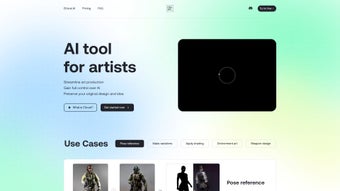

Download Clio Art – AI Art Creation Tool for Artists
Introduction: Why AI Needs an Artist‑First Companion
The explosion of generative AI over the past few years has given creators unprecedented speed, but many tools still treat art as a purely algorithmic output. For professional illustrators, concept artists, and hobbyists alike, that approach can feel invasive, stripping away the personal touch that defines their style. Clio Art arrives as a direct response to that gap, positioning itself as an AI assistant that amplifies, rather than replaces, human imagination.
Built on a foundation of secure cloud processing, GDPR‑compliant data handling, and a transparent royalty system, the software promises to keep your original concepts safe while offering powerful automation for repetitive tasks such as pose generation, shading, and environment design. Whether you are drafting a character sheet for a tabletop RPG, polishing a comic panel, or building assets for a game engine, Clio Art integrates seamlessly into existing pipelines, allowing you to switch between desktop and tablet without losing continuity. The free tier provides enough functionality to test the workflow, while the premium plan unlocks unlimited cloud renders, higher resolution outputs, and commercial usage rights—making it a scalable solution for both solo creators and studio teams.
In the sections that follow, we’ll explore the core capabilities, walk through the installation process, and evaluate the pros and cons that matter most to artists seeking a reliable AI partner.
Overview, Core Features, and Getting Started
Clio Art is a professional‑grade AI studio designed specifically for visual creators who demand both speed and artistic control. The platform blends a robust pose reference library, smart shading assistance, environment generation, and a unique style‑monetization marketplace into a single, secure environment. By allowing users to upload personal reference images or select from curated libraries, Clio Art ensures that every AI‑generated asset aligns with the creator’s original vision. The Inpaint mode offers targeted edits without the need to re‑render entire scenes, preserving the integrity of earlier work while enabling rapid iteration. All these capabilities are delivered through a cloud‑backed engine that runs on Windows, macOS, Android, and iOS, guaranteeing cross‑platform flexibility for artists who switch between a desktop workstation and a tablet sketchpad.
Key Feature List
- Pose Reference Library: Hundreds of human and creature poses, with the ability to upload custom references for precise guidance.
- Art Variation Engine: One‑click generation of multiple stylistic alternatives, helping you explore color, lighting, and composition.
- Smart Shading Assistant: Automated shadow and highlight placement that respects hand‑drawn line work.
- Environment Generation: Text‑prompt or sketch‑driven creation of detailed backgrounds, from urban streets to alien landscapes.
- Weapon & Prop Design Helper: AI‑suggested details, materials, and wear patterns for complex equipment.
- Inpaint Mode: Localized edits on existing artwork without re‑rendering the entire image.
- Style Monetization Platform: Upload your signature style, set royalty rates, and earn when others license it.
- Cross‑Platform Sync: Seamless project synchronization across Windows, macOS, Android, and iOS.
- Version Control & History: Automatic saving of each iteration with side‑by‑side comparison tools.
- Secure, GDPR‑Compliant Data Handling: End‑to‑end encryption and full ownership of uploaded assets.
Installation & Compatibility
Installing Clio Art is straightforward. Visit the official website, select “Download Free,” and choose the installer for your OS: a 64‑bit .exe for Windows, a signed .dmg for macOS, or the companion app from Google Play or the Apple App Store for mobile devices. After running the installer, follow the wizard to accept the license, choose an installation folder, and allow the optional GPU driver update. A quick reboot may be required on Windows to enable hardware acceleration.
Minimum System Requirements:
• Windows 10 (64‑bit) with DirectX 12
• macOS 11 (Big Sur) or later (Intel or Apple Silicon)
• Android 8.0+ (ARM64) and iOS 13+
• 8 GB RAM (16 GB recommended)
• NVIDIA RTX 2060 / AMD RX 5700 or equivalent for optimal performance
After launching the app, create a free account using email or OAuth (Google, Apple, Discord). The onboarding wizard introduces the three main panels—Reference, AI Canvas, and Tools—guiding you through a “Quick Start” project that demonstrates pose selection, shading, and export to PNG or layered PSD. Cloud rendering credits are allocated automatically, with the free tier offering ten renders per month and the premium tier providing unlimited, high‑resolution (up to 8K) output and commercial rights. Updates are delivered silently in the background, ensuring you always have the latest AI models and security patches.
Pros, Cons, and Frequently Asked Questions
Pros
- Artist‑focused tools that go beyond generic image generation.
- Inpaint and variation features give precise control over AI output.
- Transparent style‑monetization rewards creators for their intellectual property.
- Cross‑platform availability ensures workflow continuity on desktop and tablet.
- Secure, encrypted cloud storage with full GDPR compliance.
- Generous free tier and scalable premium plans suit both hobbyists and studios.
Cons
- High‑resolution commercial renders require a paid subscription.
- GPU‑intensive rendering may strain older hardware.
- Advanced features like style licensing have a learning curve.
- Cloud‑based AI processing depends on a stable internet connection.
FAQ
Can I use Clio Art offline?
A limited offline mode is available for pose reference and local image edits, but AI generation and cloud rendering require an active internet connection.
Is my original artwork safe and private?
Yes. All uploads are encrypted end‑to‑end, and Clio Art adheres to GDPR standards, guaranteeing you retain full ownership of your assets.
How does the style‑monetization work?
Artists upload a style package and set a royalty percentage. When another user selects that style for AI generation, a portion of the revenue is automatically credited to the style owner.
What file formats can I export?
Clio Art supports PNG, JPEG, TIFF, and layered PSD files. Premium users can also export SVG and high‑resolution EXR formats.
Is there a free trial for the premium plan?
Yes, a 14‑day free trial provides unlimited cloud renders, high‑resolution export, and full commercial usage rights without requiring a credit card.
Conclusion & Call to Action
Clio Art stands out in a crowded AI‑art market by delivering a suite of tools that respect the creative autonomy of artists while dramatically speeding up repetitive tasks. Its pose library, smart shading, environment generator, and especially the Inpaint mode give you granular control that most generic generators lack. The ethical style‑monetization marketplace adds a revenue stream for creators, turning your personal aesthetic into a licensable asset. While the premium subscription is necessary for high‑resolution commercial work and the GPU demands may challenge older machines, the generous free tier offers enough power to evaluate the workflow benefits before committing. If you’re looking to accelerate concept iteration, generate high‑quality backgrounds, or simply explore new variations without sacrificing your unique style, Clio Art is a compelling download.
Ready to experience AI that works for you? Download Clio Art now and start creating with a secure, cloud‑powered studio that puts artists first. Join a growing community of creators who are already benefiting from faster turn‑arounds, ethical revenue sharing, and cross‑platform flexibility. Your next masterpiece is just a click away.
Pros: Specialized AI tools, style‑monetization, cross‑platform, secure.
Cons: Premium needed for high‑res, GPU demand, internet required.



.png)



